Logging Food
Open any meal slot on your dashboard to start logging. There are four ways to add food — use whichever fits the situation, or combine them in the same meal.
Food search
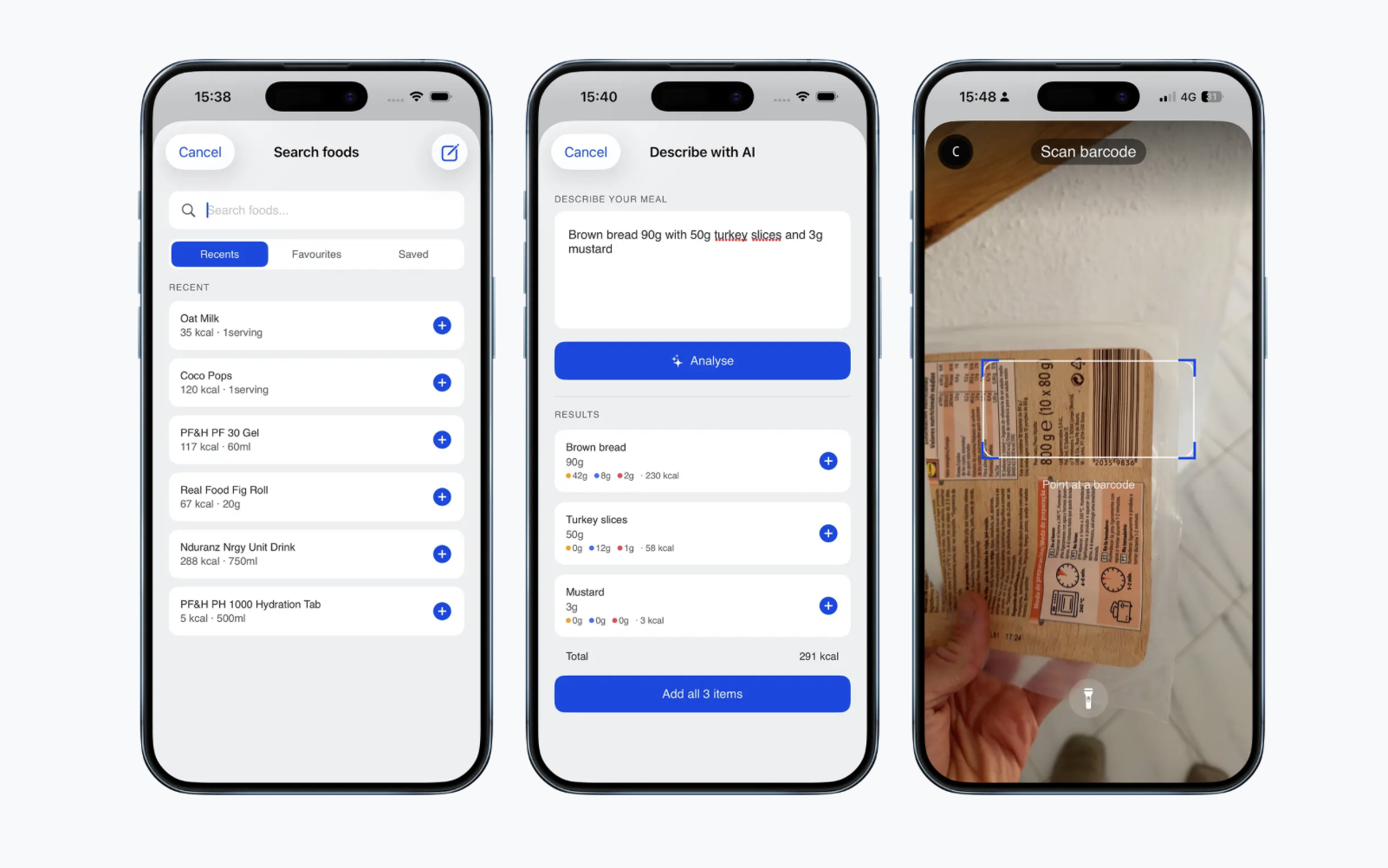
Search by name across a full food database. Tap any result to adjust the serving size, then log it directly to your meal slot.
Describe and log
Type what you ate in plain language. MOVE breaks it into individual logged items with estimated macros. This is the fastest method for restaurant meals, home cooking, or anything without a barcode — just describe it and log it.
Examples of what you can type:
"Two scrambled eggs, two slices of toast with butter and a black coffee"
"Large bowl of pasta with tomato sauce and parmesan"
"Chicken breast with rice and broccoli, roughly 200g chicken"
The more specific you are, the more accurate the estimate.
Barcode scanner
Point your camera at any packaged food and MOVE pulls the nutrition data automatically. Adjust the serving size if needed before logging.
Recipes
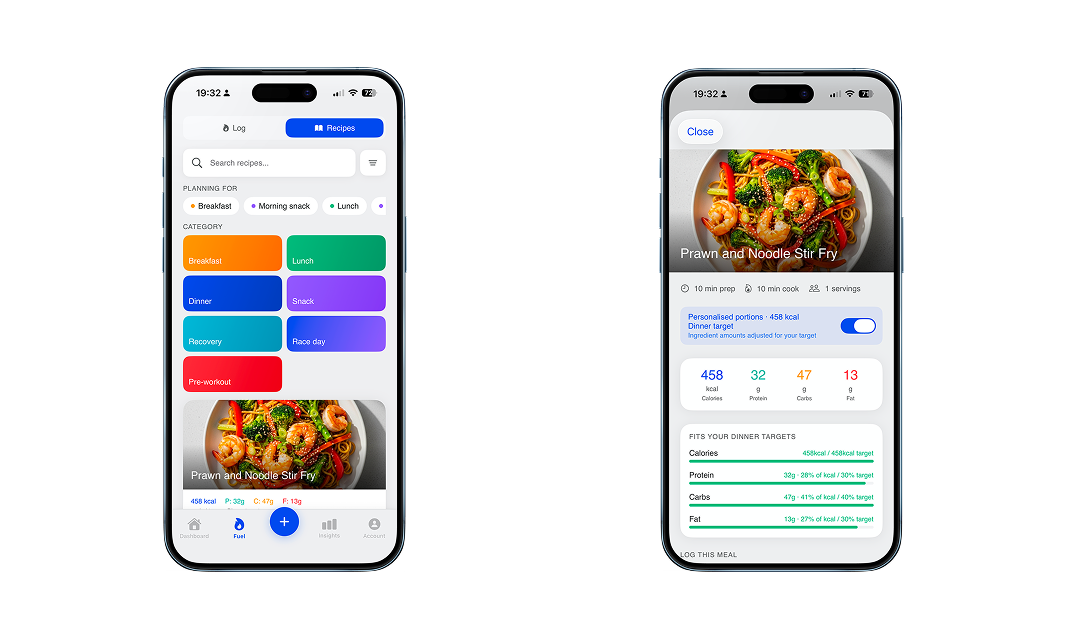
Browse the recipe library and tap to log. Every recipe automatically scales its ingredients to match your target for that meal slot — so you always hit the right numbers rather than a generic portion.
Mixing methods
You can combine all four in the same meal. Log a recipe for your main, scan a snack on top, and add a searched drink. MOVE totals everything together.
Saving a meal to re-log quickly
If you eat the same meal regularly, save it so you can log it again in two taps.
Log all the items in the meal slot as normal
Tap the three-dot menu in the top corner of the meal or use the "Save meal" tab under all the food.
Choose Save meal and give it a name
It appears at the top of your food search next time
Saved meals use your current serving sizes each time you log them — they are not locked to the quantities you originally saved. You can adjust portions freely before confirming.