Connecting Devices
Connecting a training source lets MOVE read your workouts automatically and adjust your daily targets based on what you actually did — not a generic estimate. Once connected, everything syncs in the background. You do not need to import anything manually.
Which connection should I use?
Apple Health is the simplest option for iPhone users. Grant access once and workouts from Garmin, Wahoo, Polar, Apple Watch, and any other device that syncs to Apple Health come in automatically. You get one connection that covers everything.
Strava is the best option if you already use it to record or track your training. Completed activities sync directly with power and heart rate data where available.
Intervals.icu is the most powerful option for athletes following a structured plan. It connects both planned and completed sessions, so your targets update before a session starts — not just after.
Wahoo syncs completed activities, planned sessions from Wahoo SYSTM, and FTP directly from your Wahoo account.
We do not recommend connecting multiple platforms to assure you always have your workout synced. If you use Intervals.icu for example and your wahoo Is connected there, you do not need to connect Wahoo itself.
Do I need more than one?
For most athletes, one connection is enough. Apple Health covers the widest range of devices with zero extra setup. If you are already on Strava or Intervals.icu, connecting those directly gives you richer data.
Connecting multiple sources is supported. MOVE deduplicates workouts automatically — the same session will not be counted twice.
Setting up a connection
Go to your profile → My Connections and tap Connect next to the source you want to add. Each integration has a step-by-step guide:
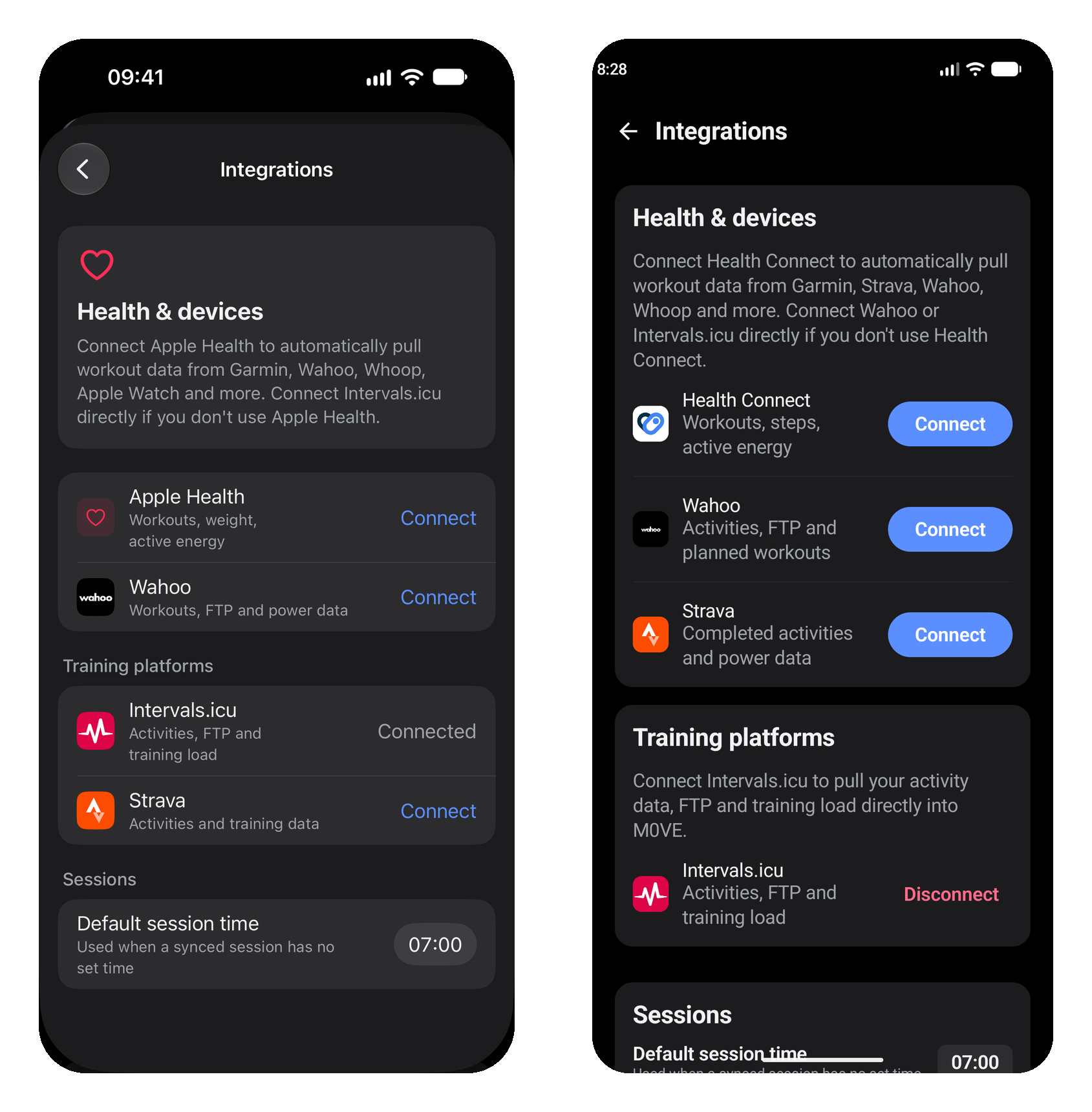
Apple Health / Health Connect — iOS and Android setup
Removing a connection
Tap Disconnect next to any connected source in My Connections. This stops all syncing and removes stored credentials. Your existing logged data is not affected — only future syncing stops. In rate occasions you may still see data coming in, you may have to disconnect MOVE in the device you are using "Wahoo - settings - connections"