Connecting to a coach
M0VE has a built-in coach connection that gives your coach visibility of your nutrition alongside your training — without you needing to screenshot logs or send manual reports.
MOVE has a built-in coach connection that gives your coach visibility of your nutrition alongside your training — without you needing to screenshot logs or send manual reports.
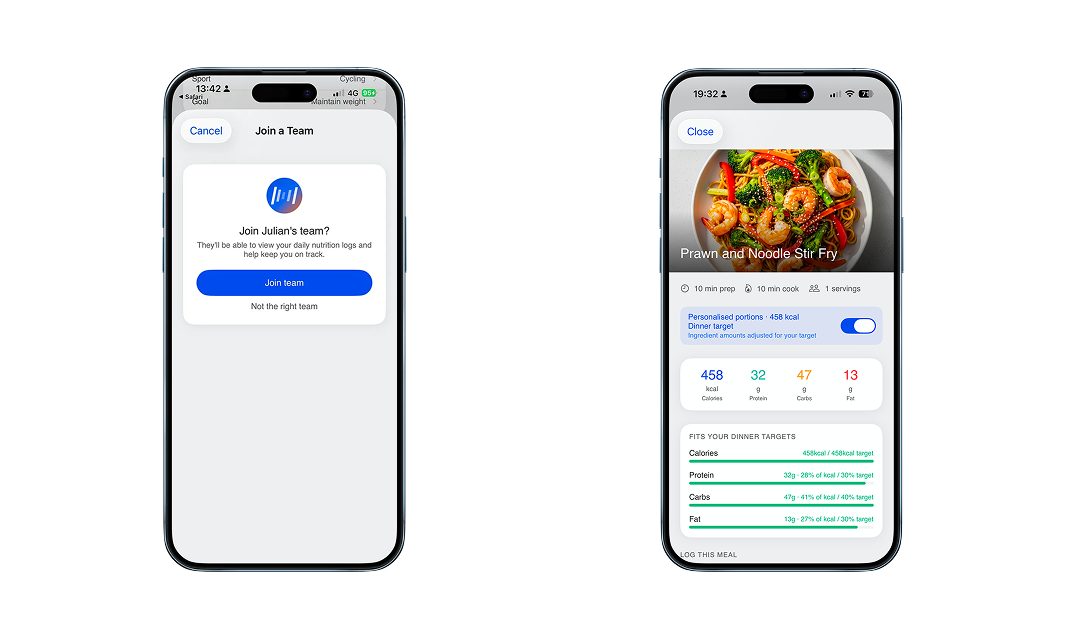
Connecting a coach
Open your profile → Account Settings
Tap Connect a coach
Share your invite link or QR code with your coach
Your coach accepts the invite from their MOVE account
Once connected, your coach can see your data immediately. The connection stays active until either of you removes it.
What your coach can see
When connected, your coach has access to:
Daily targets — your calorie, carbohydrate, protein, fat, and hydration targets for each day
What you logged — every meal slot and the items logged against it
Compliance — how closely your actual intake tracked your targets across the day and week
Session fuelling — what you ate and drank around your training sessions
Sweat test results — your hydration profile and test history
What your coach can do
Coaches can interact with your data directly through their MOVE dashboard:
Leave comments on specific days or meal slots — visible to you in the app
Adjust your targets when training demands change — for example, increasing carbohydrate targets during a training block or ahead of a key event
Send meal plans and recipe suggestions directly to your account
Privacy and control
You control the connection. If you want to remove your coach's access, go to Account Settings → Connected coach and disconnect. This removes their access immediately.
Your coach cannot edit your logged meals, only view them and comment. Target adjustments are visible to you and can be reviewed before they take effect.
For coaches
If you are a coach looking to manage athletes through MOVE, see the coach documentation for setting up your dashboard, inviting athletes, and managing nutrition plans across your squad.