Glucose and fuel
Wear a CGM? M0VE puts your glucose next to your meals and your sessions, so you can see what each one did.
Turn it on
Most CGM apps, such as Libre and Dexcom, can save your readings to Apple Health or Health Connect. Turn that on in your CGM app. Then in M0VE go to Account, then Integrations, and connect Apple Health or Health Connect with Blood Glucose allowed. More in Connecting devices to Apple Health.
Your day
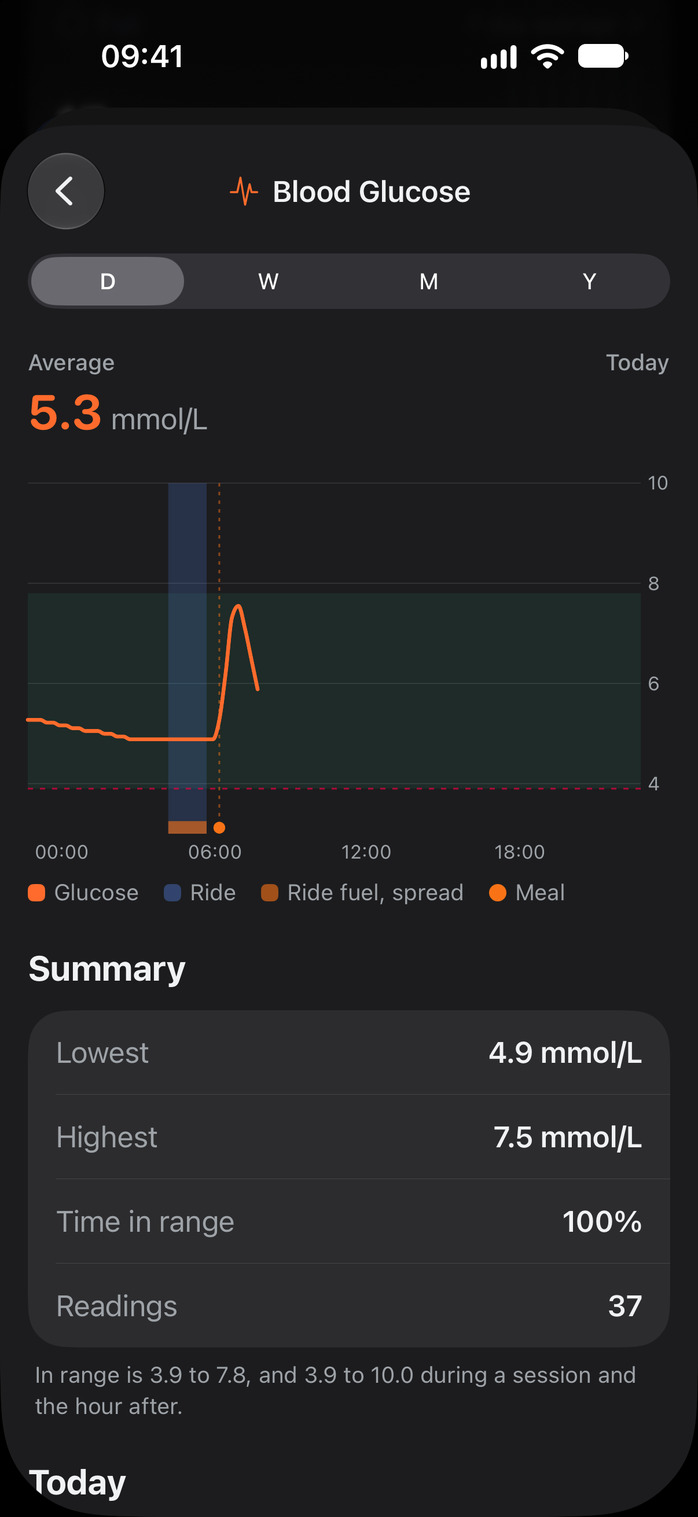
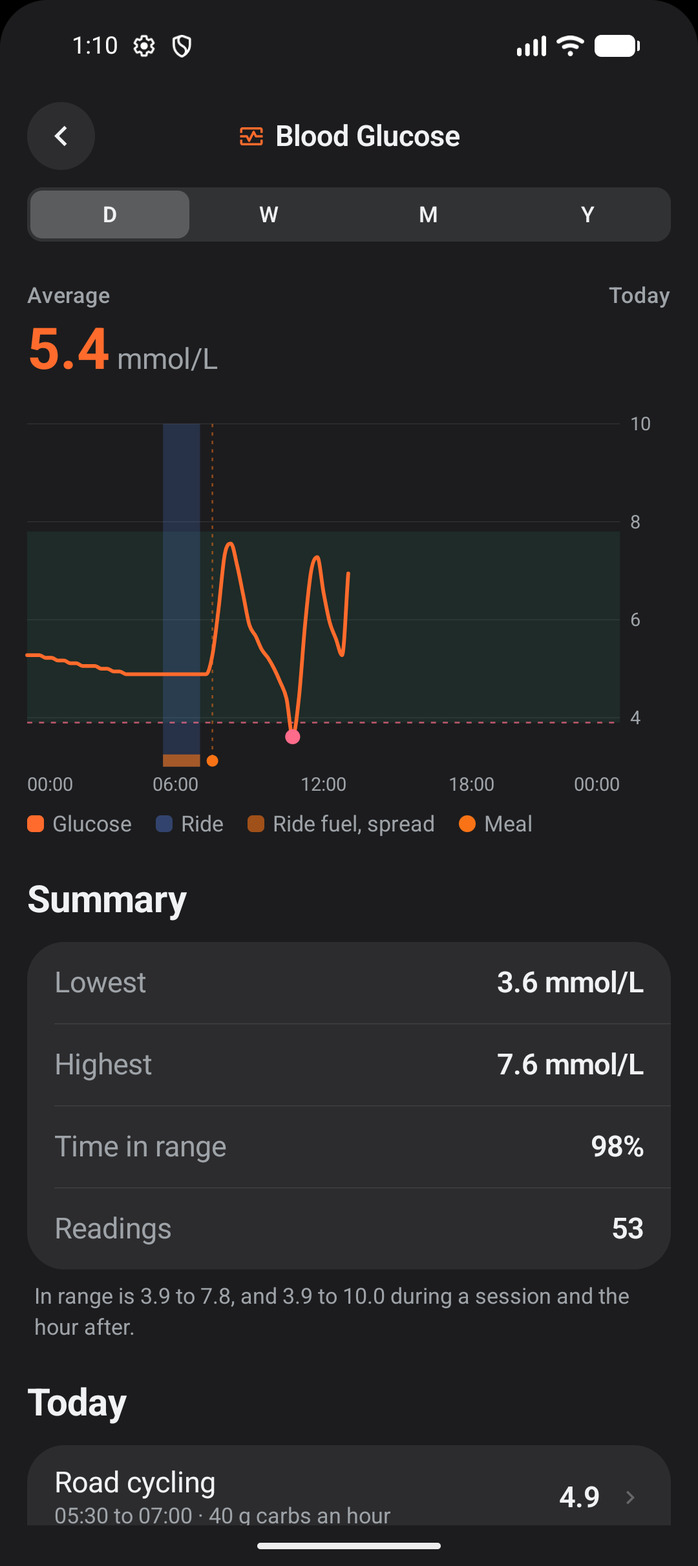
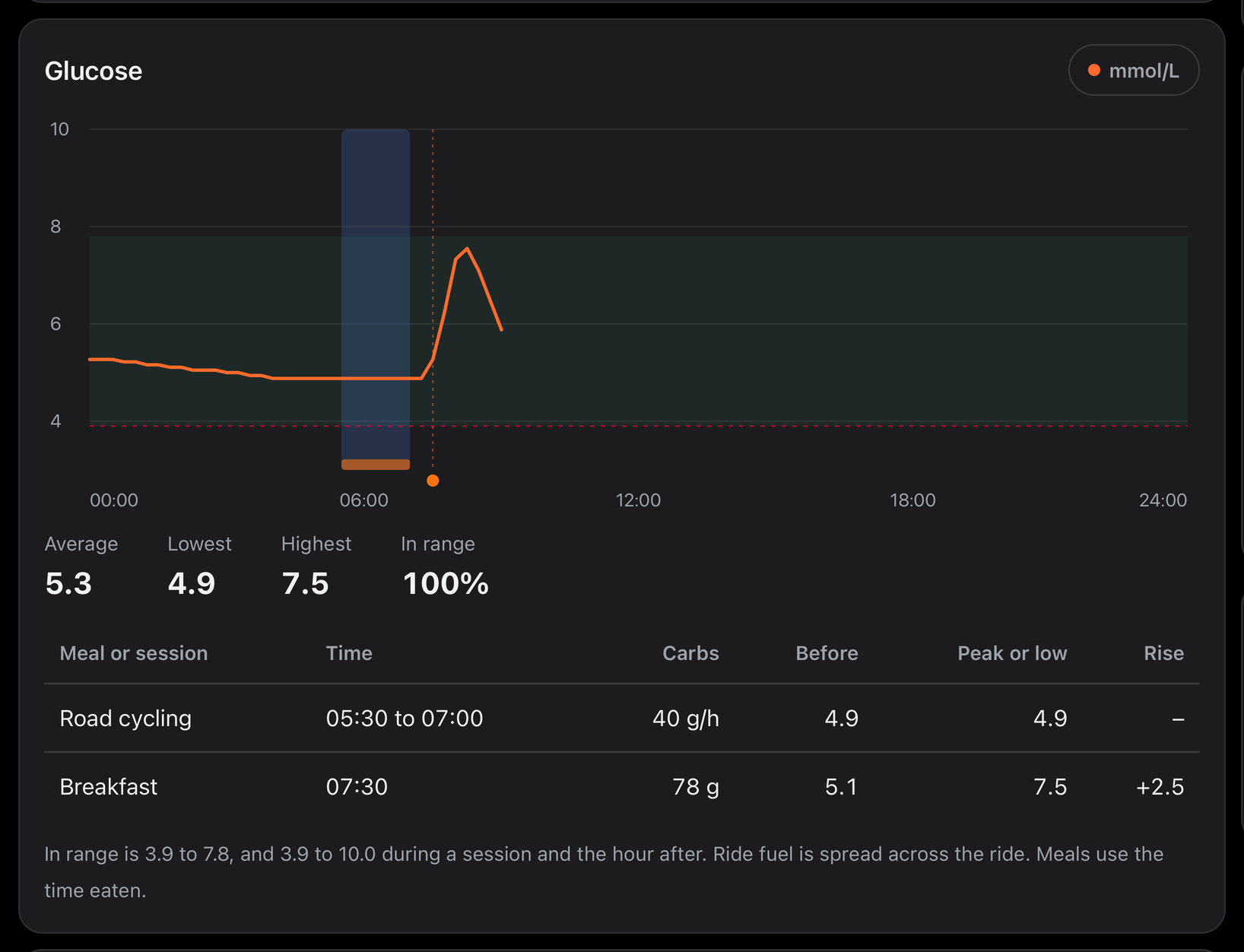
Open Blood Glucose and pick D. You see today's line with:
- Meals as dots at the time you ate them.
- Sessions as a shaded block from start to finish.
- Ride fuel as a band along the bottom of the session. Fuel is often logged before or after a ride, so M0VE spreads it across the session instead of placing it at the time you logged it.
Below the line are your lowest and highest readings and your time in range. In range is 3.9 to 7.8 mmol/L, and 3.9 to 10.0 during a session and the hour after. Today lists every meal and session. Tap one to see it on its own. W, M and Y show your readings over the week, month and year.
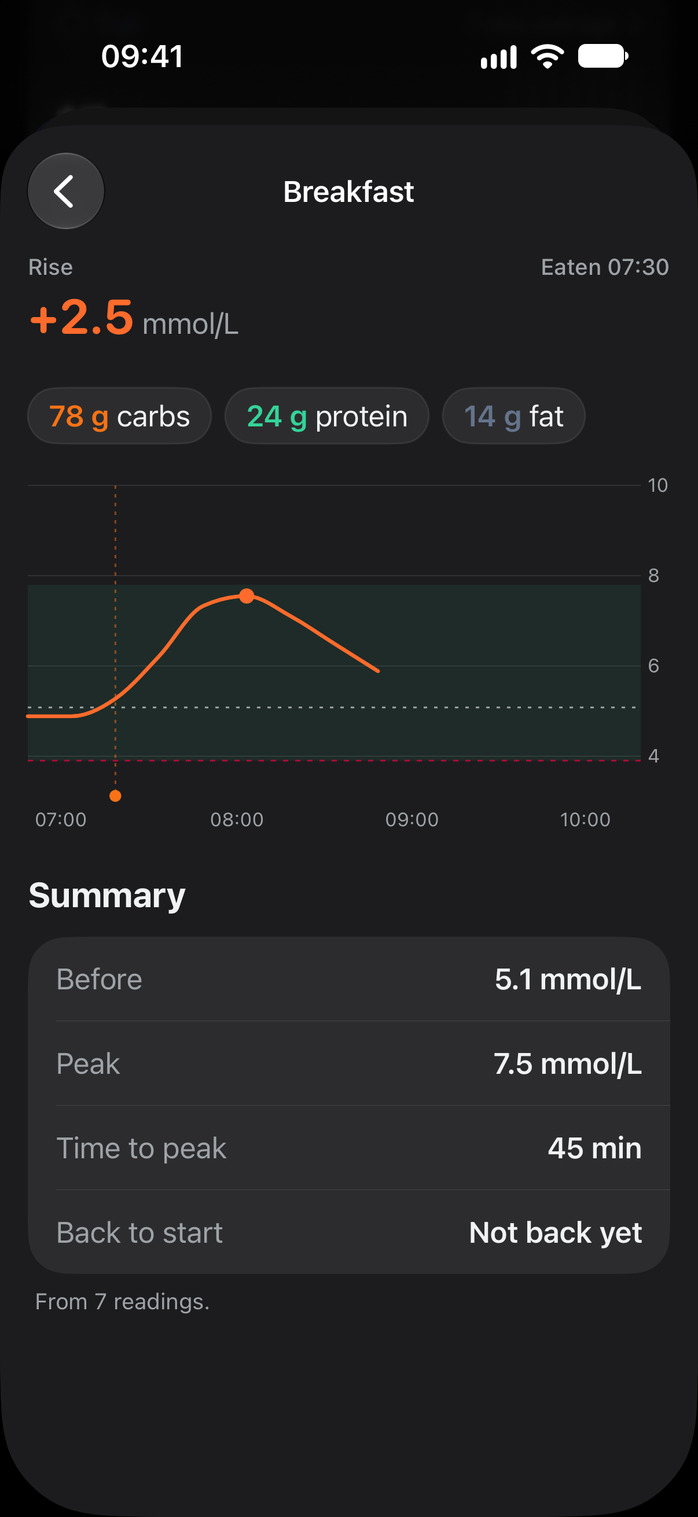
A meal
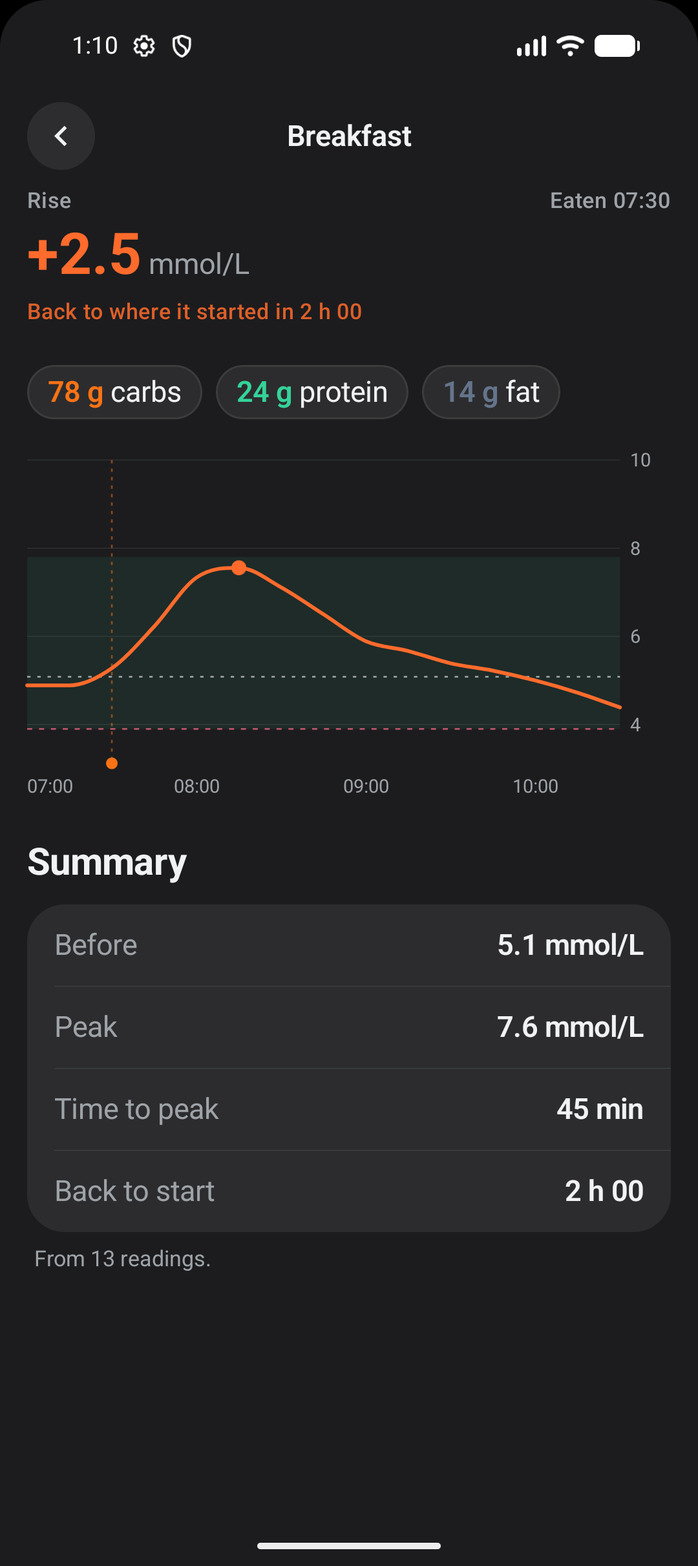
Three hours from when you ate: your glucose before, the peak, how much it rose, how long it took to peak, and how long it took to come back. It needs at least three readings in that time.
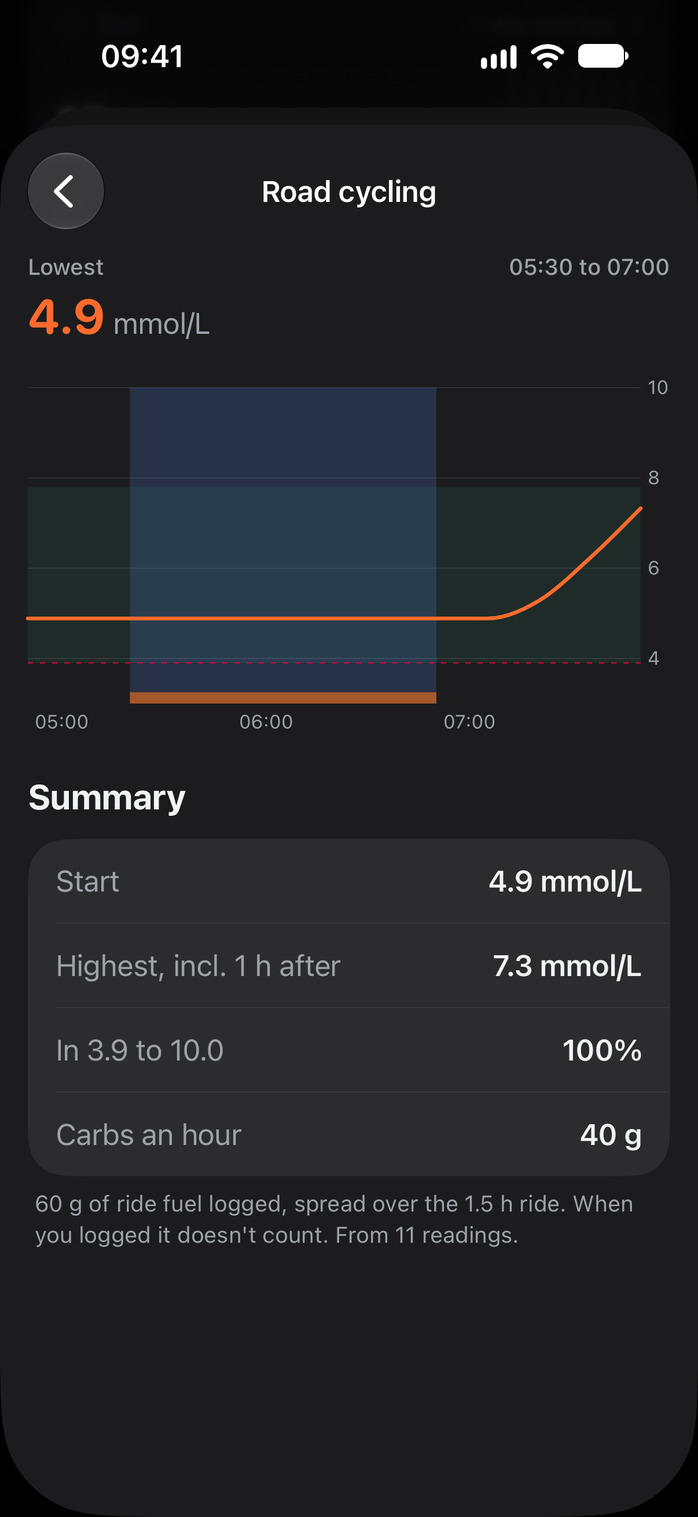
A session
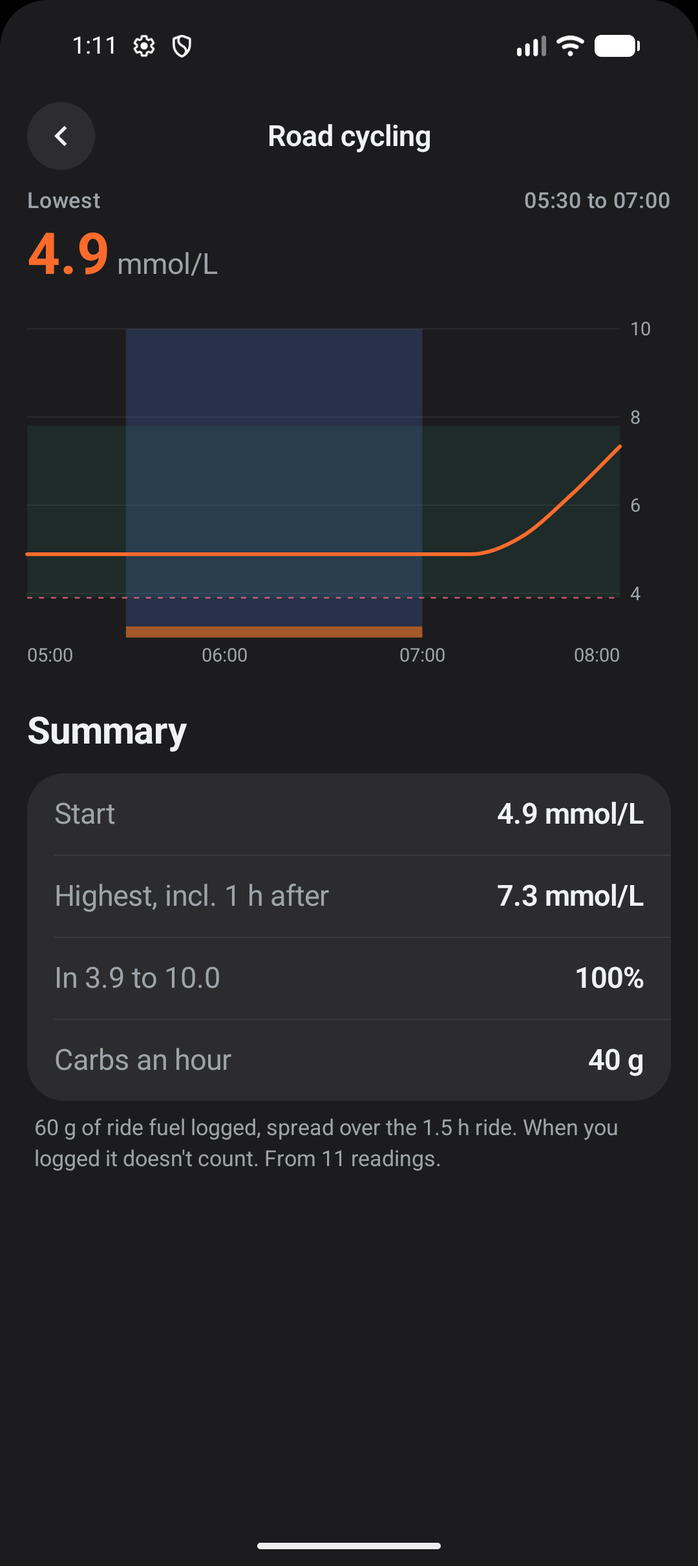
From the start of the session to an hour after: where you started, your lowest and highest readings, your time in 3.9 to 10.0, and your carbs per hour. Carbs per hour is the ride fuel you logged, spread over the session, against your plan if you planned it.
iPhone
Android
When you ate
Each meal has a Time eaten under its food. It starts at the time you logged it. Logged breakfast at lunch? Change it, so the meal sits in the right place on your glucose. A meal with no time shows as Time not set and gets no numbers until you set one.
On the Nutrition Hub
Open Nutrition, then pick a day. Under By meal you see the same glucose line and a table of your meals and sessions with their numbers. Only you see it. Your coach does not see your glucose.
The hub shows what your phone has saved. Open M0VE on your phone to bring it up to date.