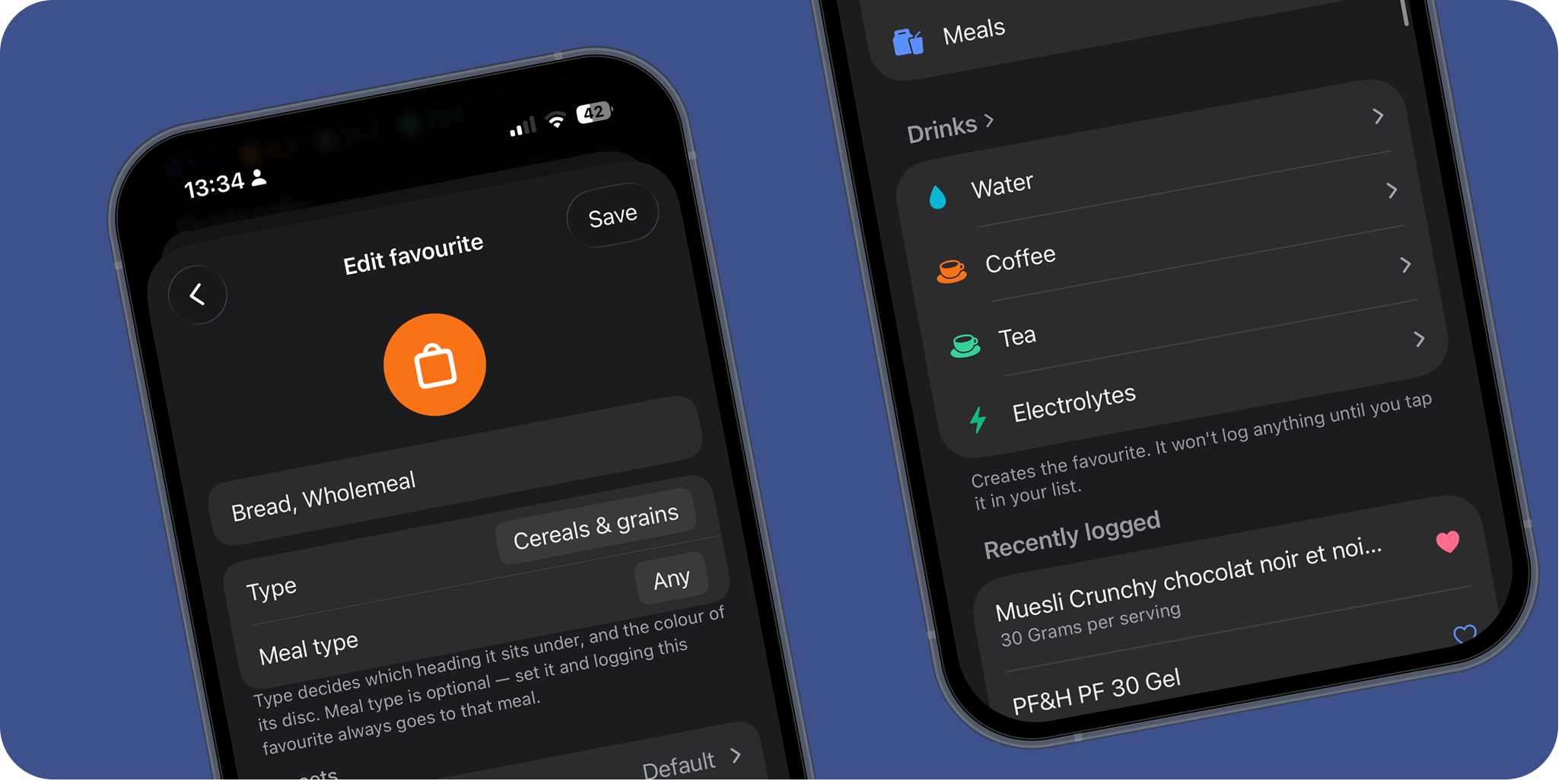
Most people eat the same twenty things. The same porridge, the same gel on the bike, the same yoghurt after. If you are logging those from scratch every day, the app is wasting your time, and an app that wastes your time is an app you stop opening.
So Favourites got rebuilt. Here is what changed and why.
A list you can actually scan
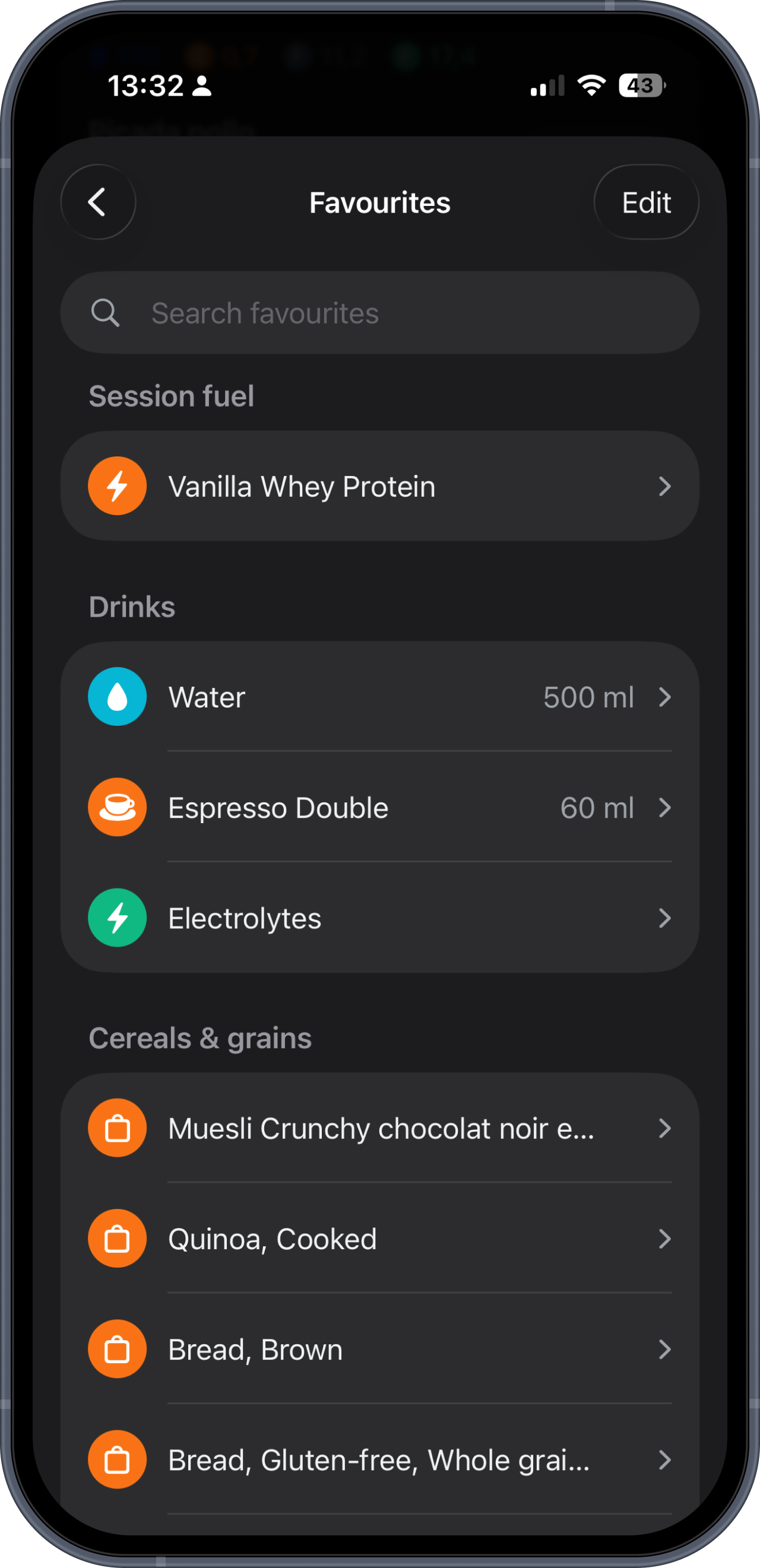
Favourites is now one line per food, name only, with a search box at the top. Forty-seven foods fit on a couple of screens instead of a dozen, and finding your porridge takes a second.
Macros have moved to where they earn their place. They are what you want when you are choosing between two foods in search. When you already know what you are after and you are hunting for it by name, they are noise. They still live on the food's own screen, one tap away.
Grouped by what the food actually is
A list of forty-seven names is still a list of forty-seven names. So they are grouped under headings now: session fuel and supplements and drinks first, because that is what you reach for mid-session, then the ordinary food groups.
Colour alone would not have done it. Roughly one man in twelve cannot reliably separate our orange from our green, so the headings do the work and the colour is a bonus rather than the message.
Saved portions, so logging is one tap
The bigger change is presets.
A preset is a portion you set once. Your bottle is 750 millilitres. Your yoghurt pot is 150 grams. Your gel is one sachet. You save that once, and from then on tapping the favourite logs exactly that. No portion screen, no typing, no maths.
If you keep more than one, long-press and pick. A 500 millilitre bottle on an easy day, a litre on a long one.
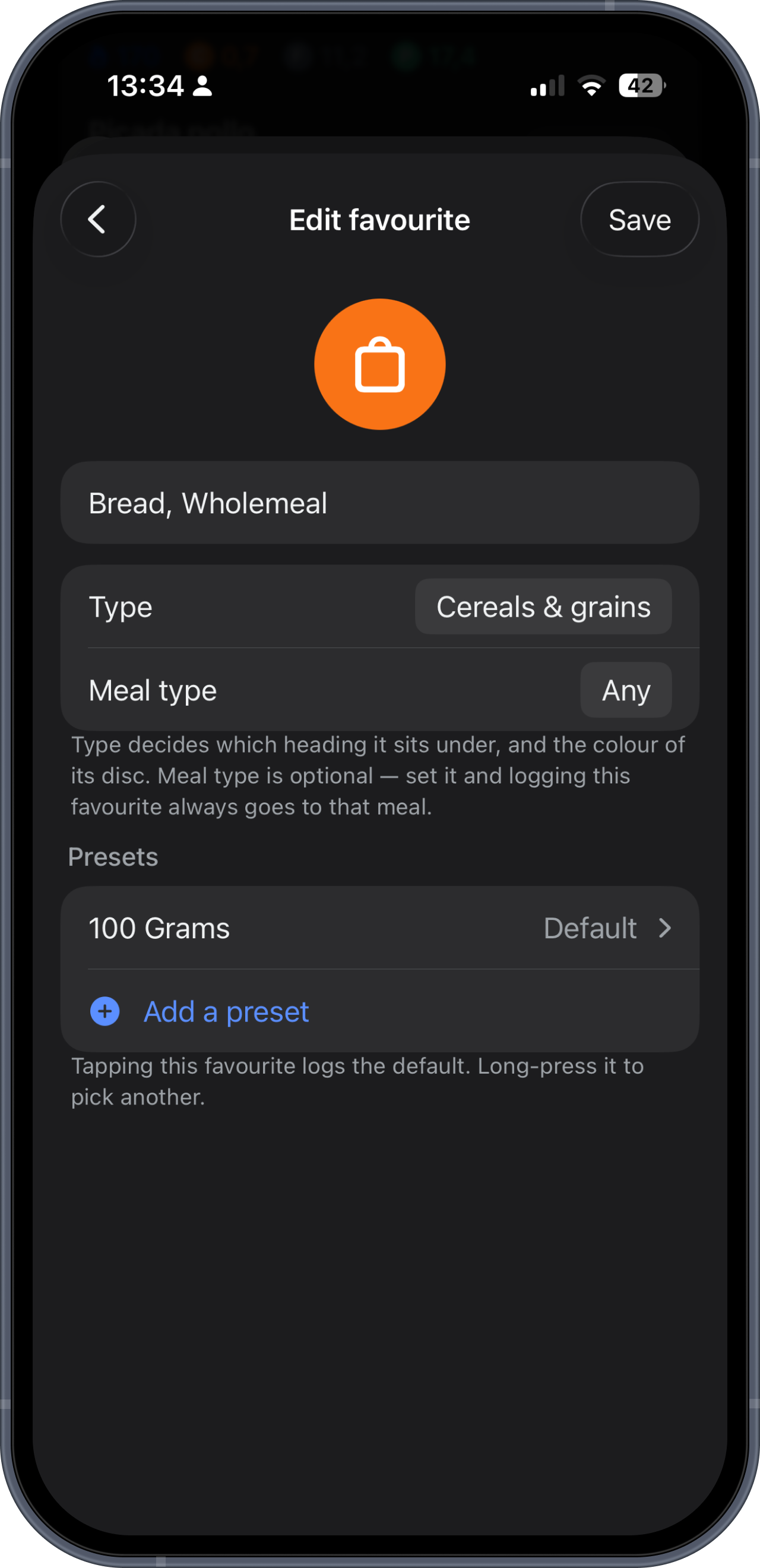
Favourites without a preset behave exactly as they always did, opening the food screen so you can set the amount. Nothing is forced on you, and nothing is invented on your behalf. The one exception is a barcode scan, where the product declares its own serving size on the packet. That figure is the manufacturer's, not ours, so we save it for you.
Water, coffee and electrolytes belong here too
You can now favourite a drink the same way you favourite a food, and it lands where it should.
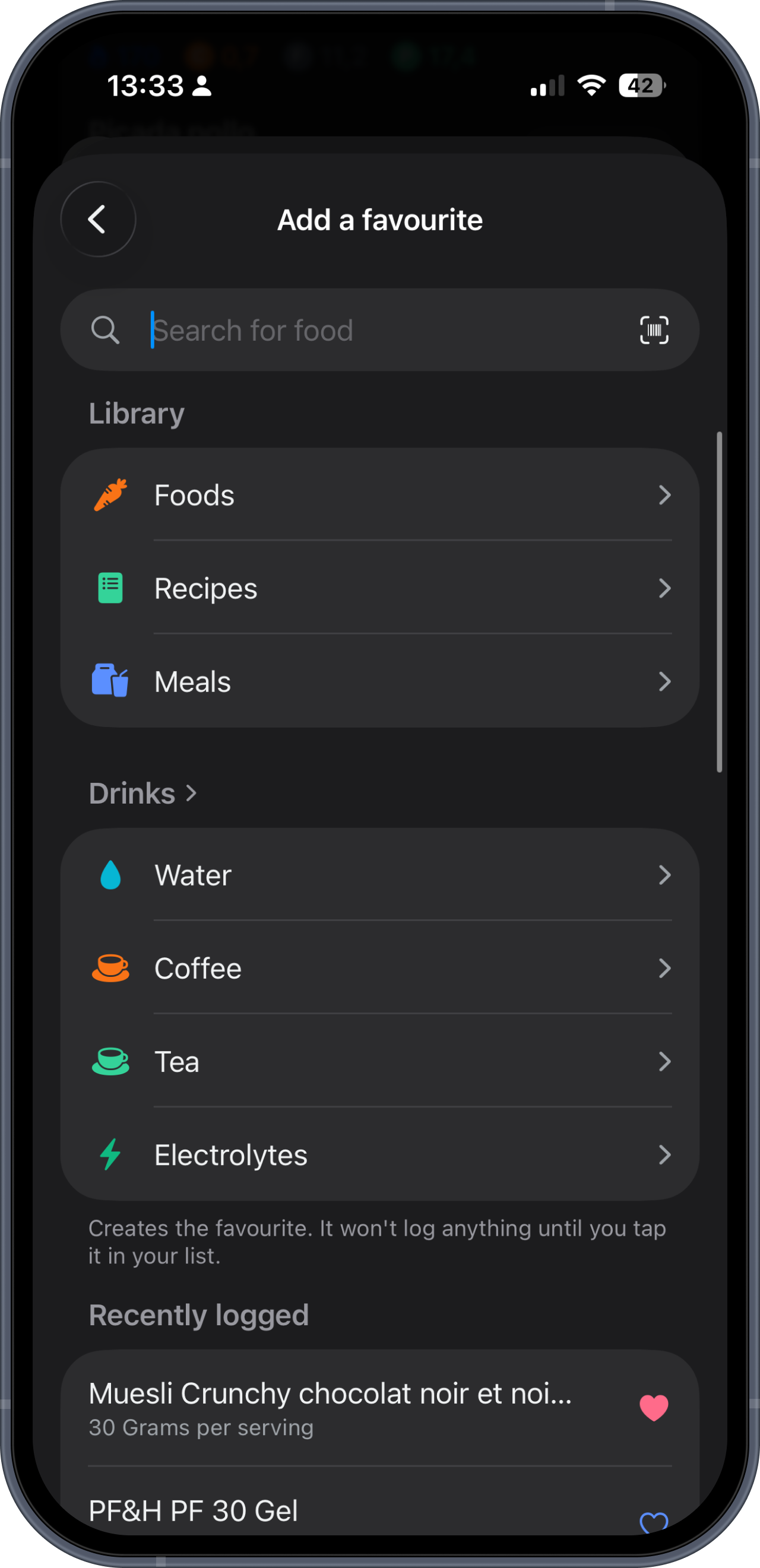
Water counts toward hydration. Coffee and tea add their caffeine and their fluid. Electrolytes add sodium and the fluid you mixed them into. They are not logged as zero-calorie foods sitting in a meal, they go to the number they actually affect.
Water arrives with the sizes people actually drink from: 500 millilitres, 750, a litre, a litre and a half. Coffee is measured the way you order it rather than by volume, so an espresso is an espresso and a filter mug is a filter mug, each carrying its own caffeine.
One way to add a favourite
Tapping the heart anywhere in the app now opens the favourite's setup screen rather than adding it silently. Name it what you call it, set the type, set a default meal if you always eat it at the same time, save a portion.
That last part matters more than it sounds. One action, the same result every time, and the settings that make a favourite useful are put in front of you at the moment you create it rather than hidden behind a gesture you would have to discover.
Back out without saving and nothing is kept, so a mistapped heart does not leave a favourite behind.
What this is really for
None of this is clever. It is a list, some saved portions, and a few drinks that go to the right place.
But fuelling only works if you actually log, and you only log if it is fast. Every second between opening the app and the food being recorded is a second in which you might not bother. That is the whole point of this update.
It is live on iOS now. The Android build follows.